

How to Automate WhatsApp Responses: A Complete Guide for Businesses
WhatsApp is no longer just a chat app. It has become one of the most powerful customer communication channels in the world, with over 2.7 billion active users.
Whether you’re managing enquiries, bookings, or sales follow-ups, your customers expect quick responses. But responding manually to every message is neither scalable nor efficient.
That’s where WhatsApp automation comes in. With the right setup, you can automatically reply to messages, share updates, and keep conversations flowing — even when your team is offline.
In this guide, we’ll show you how to automate WhatsApp responses the right way, explain the tools you can use, and walk through practical examples you can apply today.

1. Why Automating WhatsApp Responses Matters
Customers today expect instant communication. When you take too long to reply, they move on — often to a competitor who responds faster.
Automation helps you:
- Reply instantly to new enquiries, even outside working hours
- Save time by handling repetitive questions automatically
- Stay consistent with professional and uniform replies
- Improve conversion rates with faster follow-ups
2. Understanding WhatsApp Automation Options
There are several ways to automate replies on WhatsApp, depending on your business size and needs.
Option 1: WhatsApp Business App
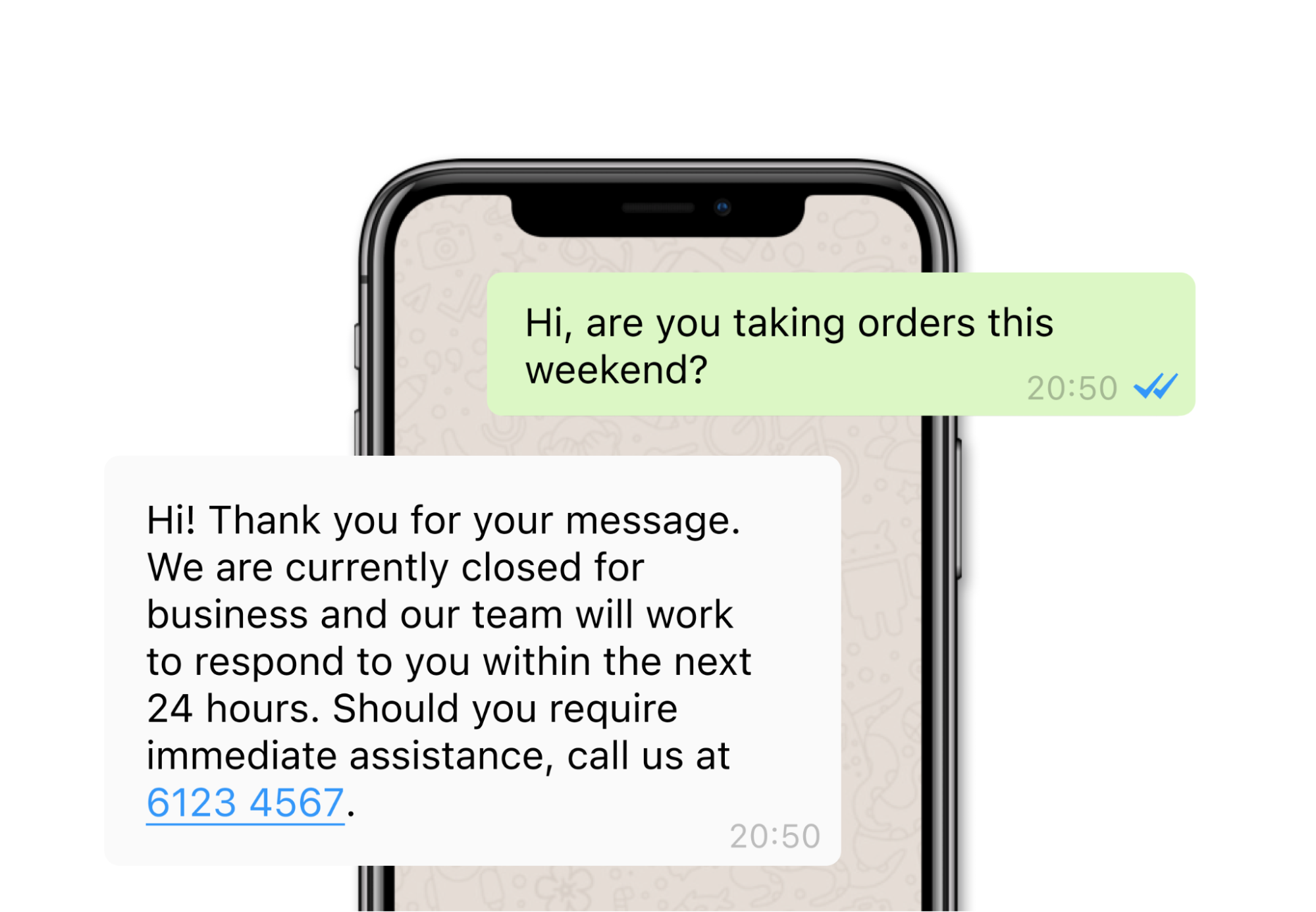
For small businesses, the WhatsApp Business App offers basic auto-reply features. You can create:
- Greeting Messages – sent automatically to new customers
- Away Messages – triggered when you are unavailable
Option 2: WhatsApp Business API
The WhatsApp Business API is designed for growing businesses that want more control and automation. It enables:
- Chatbots for FAQs
- Message templates for confirmations and reminders
- Integration with CRMs and third-party tools
Option 3: WhatsApp CRM Platforms (AntCRM)
CRMs like AntCRM combine automation with full customer management. Instead of just replying automatically, they:
- Capture leads from WhatsApp messages
- Track conversations through the sales pipeline
- Automate follow-ups and payment reminders
Quick Comparison
Option
WhatsApp Business App
WhatsApp Business API
WhatsApp CRM (AntCRM)
Setup Difficulty
Easy
Medium
Easy–Medium
Best For
Small businesses
Mid-sized businesses
Businesses with teams
Automation Level
Basic replies
Advanced chatbots
End-to-end automation
3. How to Set Up WhatsApp Auto-Replies (Step-by-Step)
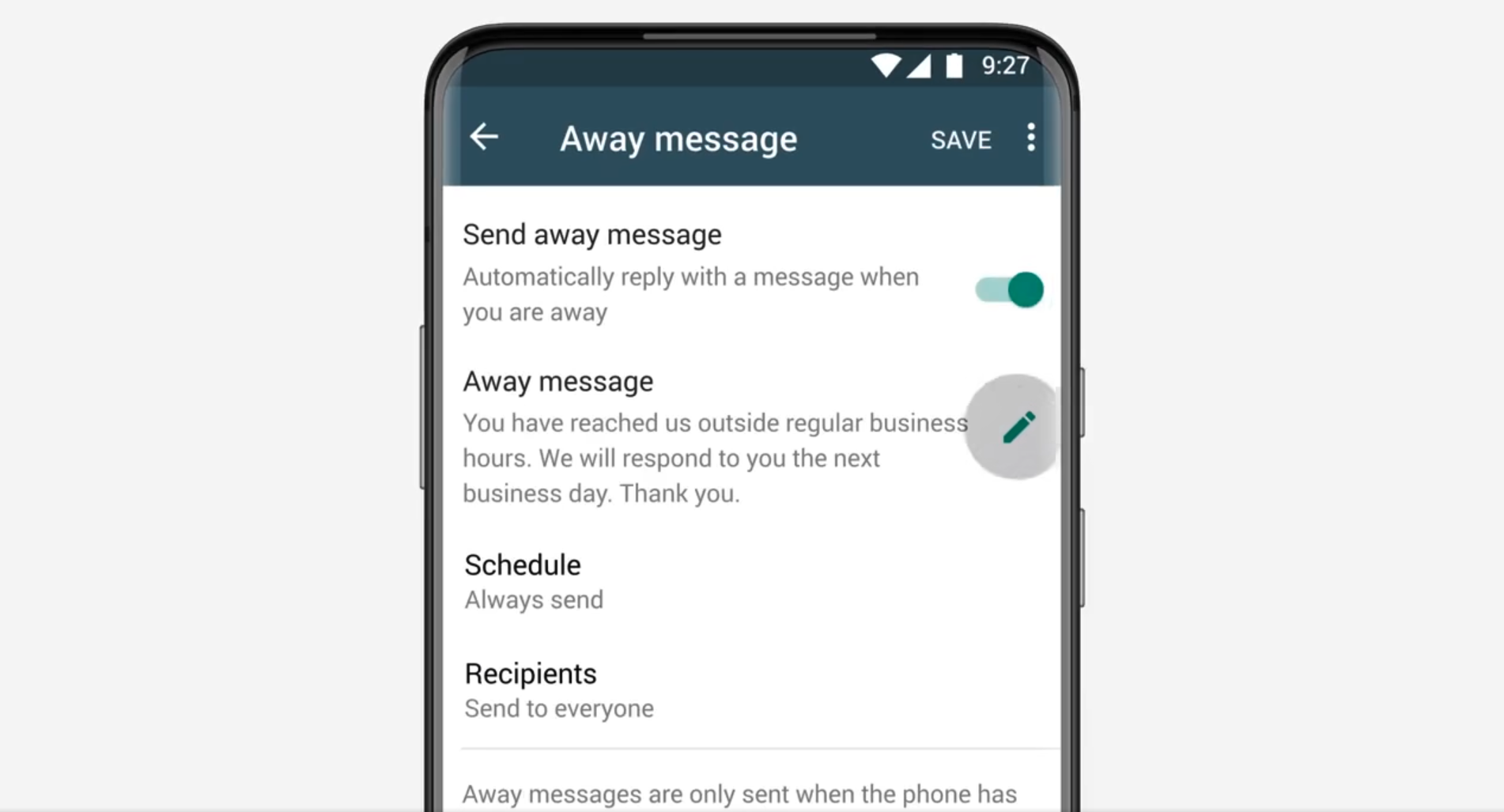
If you’re using the WhatsApp Business App, follow these steps to create auto-replies:
- Open WhatsApp Business App
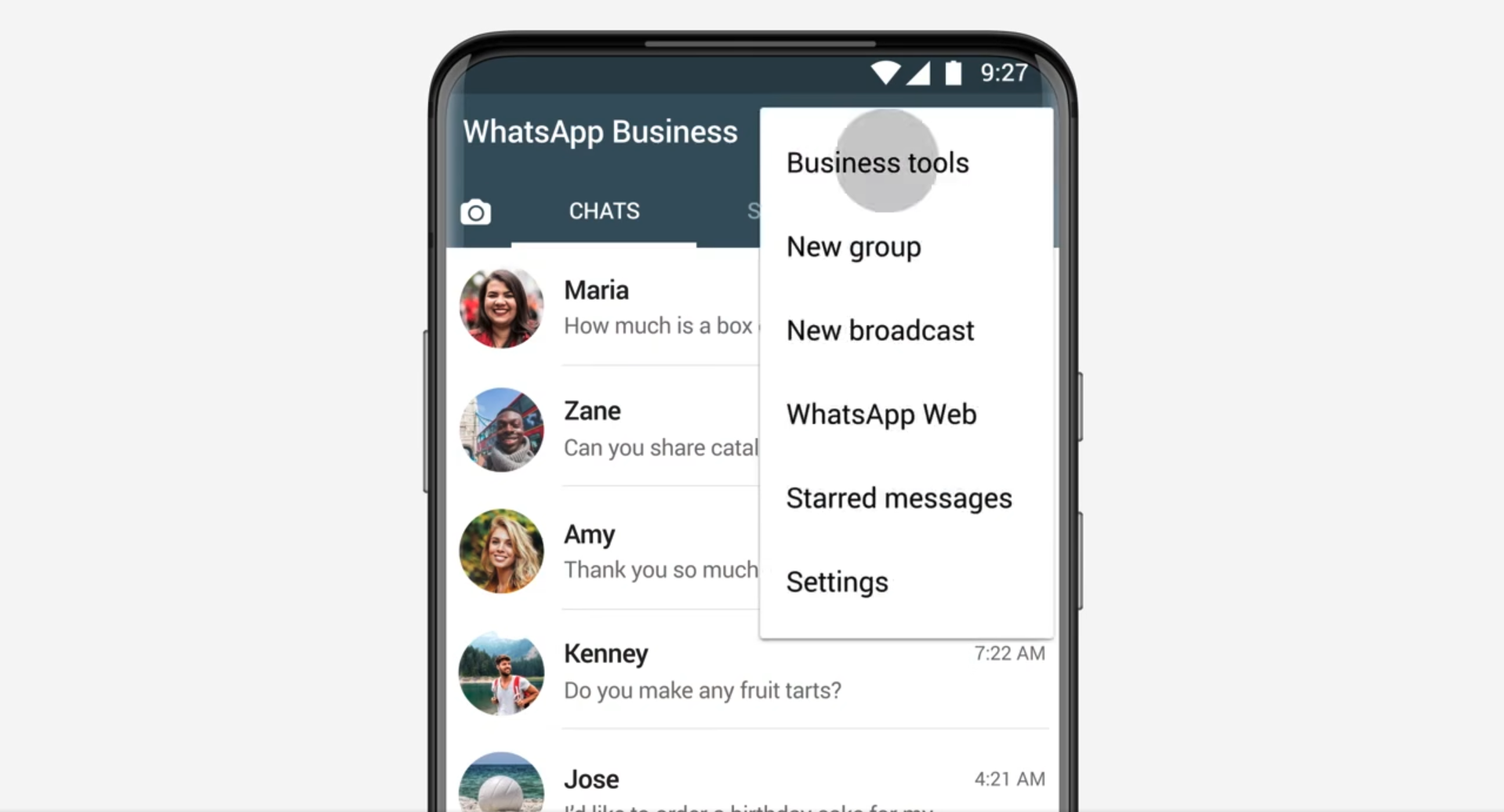
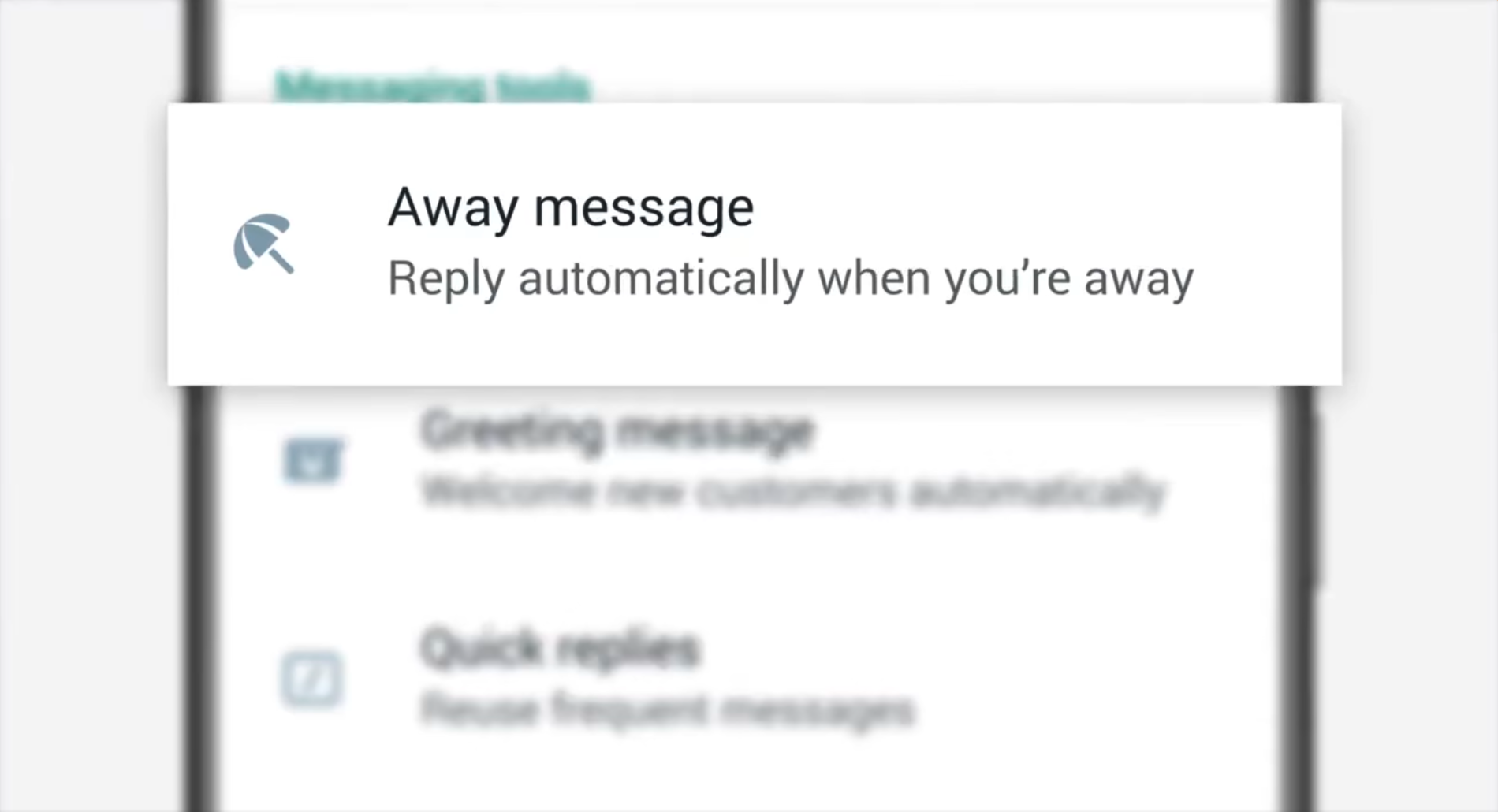
- Go to Settings → Business Tools → Away Message
- Toggle on Send Away Message
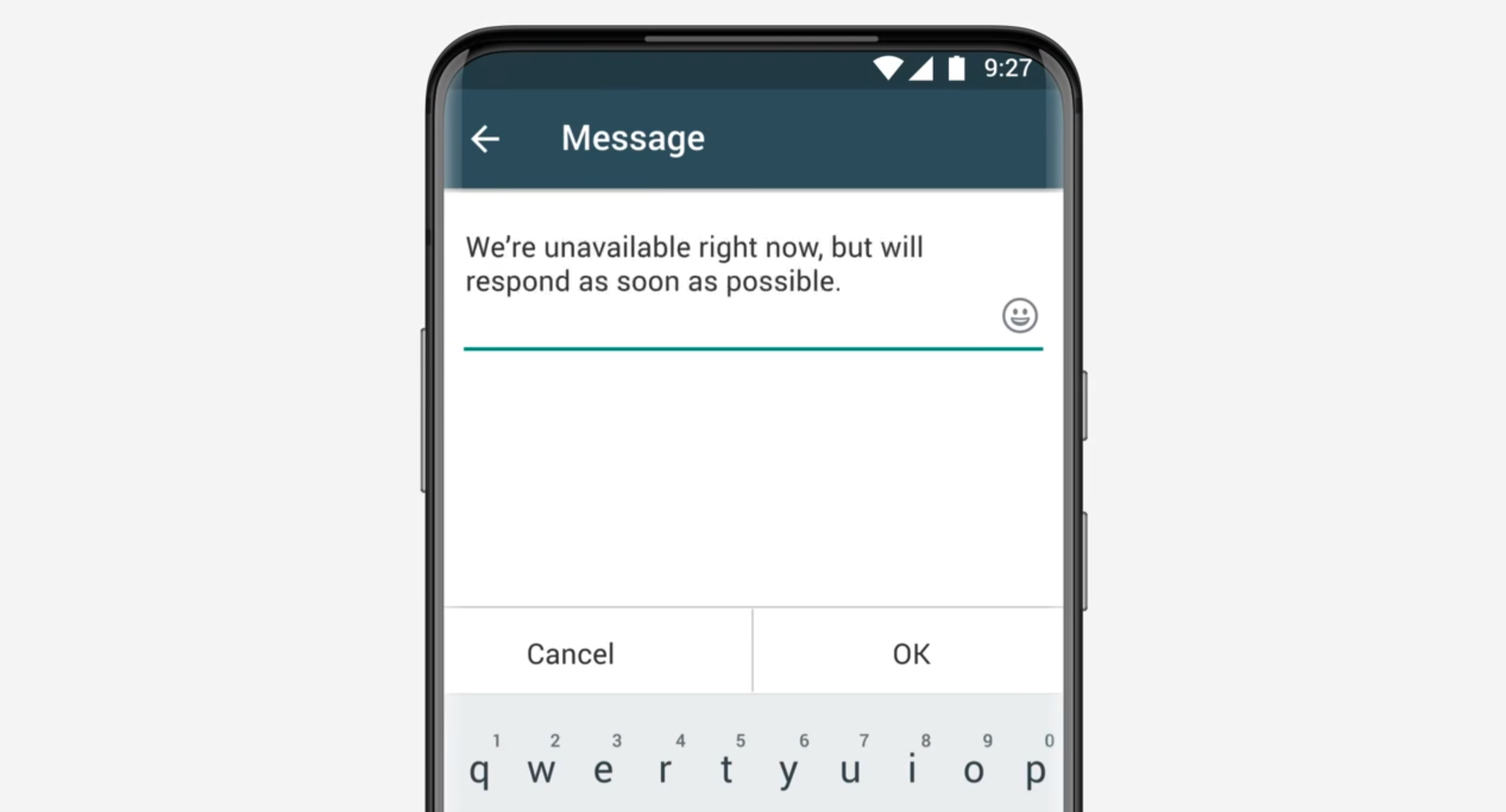
- Write your custom message
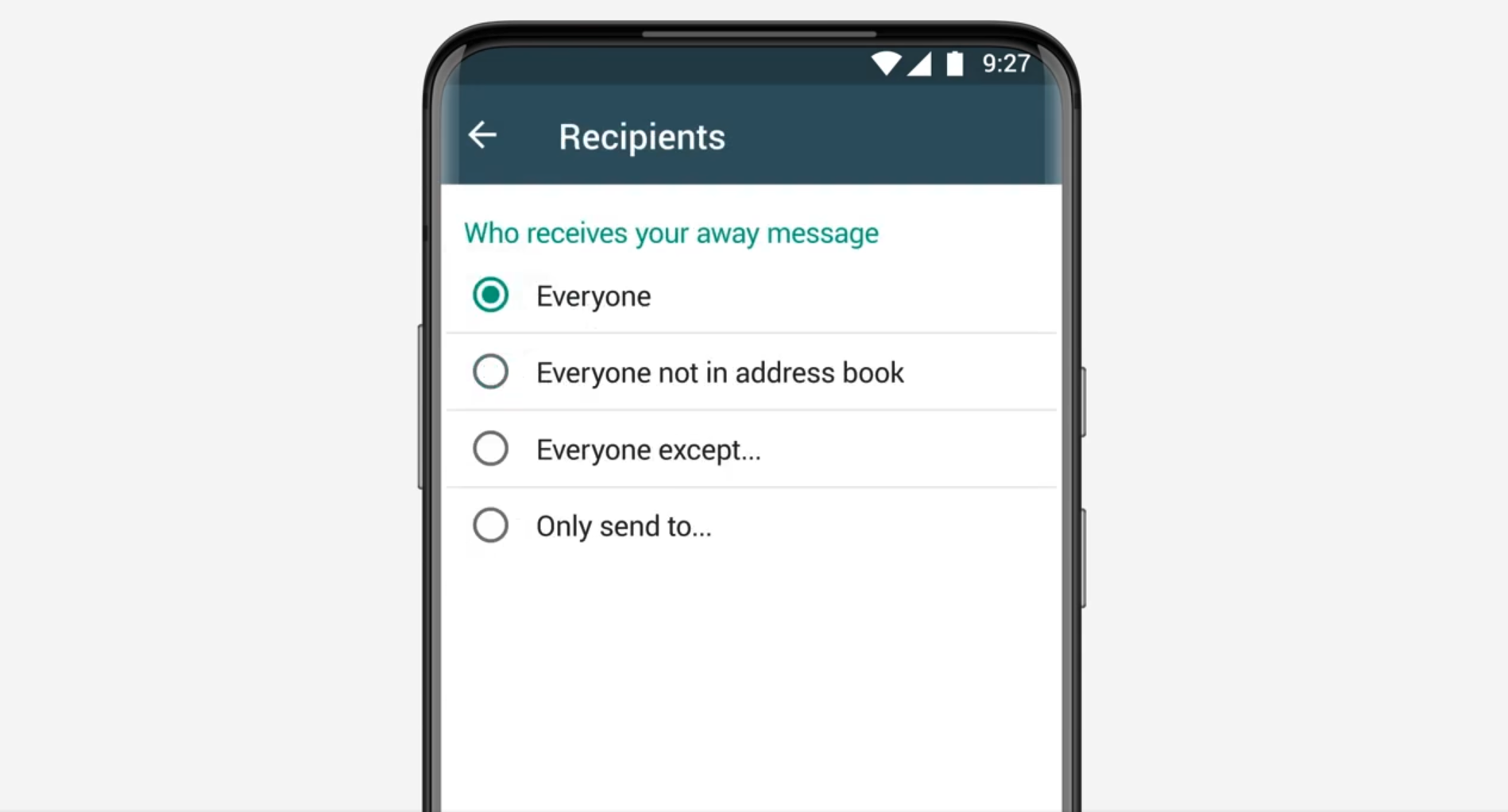
Example: “Thanks for reaching out! Our team will get back to you shortly.” - Choose recipients (everyone or specific contacts)
- Schedule when the message should send (always on, custom hours, or outside business hours)
This method is quick to set up but limited — it cannot manage leads, assign messages, or send follow-ups automatically.
4. Going Beyond Auto-Replies: Workflow Automation
As your business grows, you need more than static messages. You need a system that can handle dynamic workflows, such as:
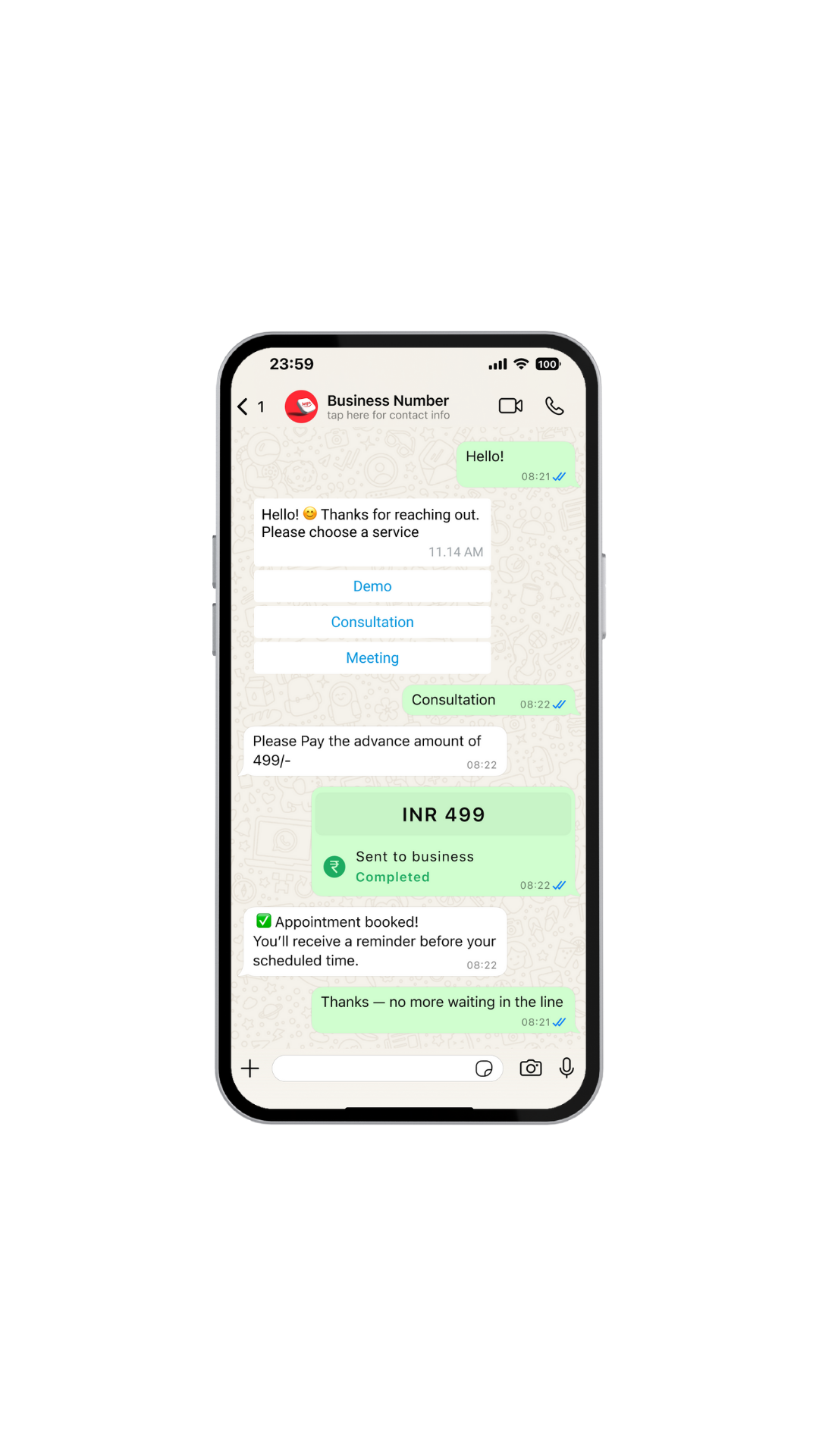
- Sending a confirmation when someone books or places an order
- Following up automatically after a set time
- Assigning messages to the right team member
- Sending payment reminders
- Tracking all conversations in one CRM
5. Automating WhatsApp Workflows with AntCRM
Most businesses start with basic auto-replies and quickly realize they need more structure. AntCRM helps automate entire workflows — from enquiry to payment — inside a single platform.
AntCRM Highlights
- All-in-one workflow: Handle enquiries, bookings, payments, and lead tracking without switching between apps.
- WhatsApp-first design: Built on the official WhatsApp Business API for reliability and message delivery.
- Team collaboration: Multiple agents can manage chats, assign tasks, and track progress in real time.
- Built-in CRM: Convert every WhatsApp message into a lead, move it through your sales pipeline, and close deals faster.
- Automation made simple: Send follow-ups, reminders, and notifications automatically, even after hours.
- Affordable pricing: Plans start at ₹250 per month in India and $10 globally, making it one of the most cost-effective WhatsApp CRMs available.
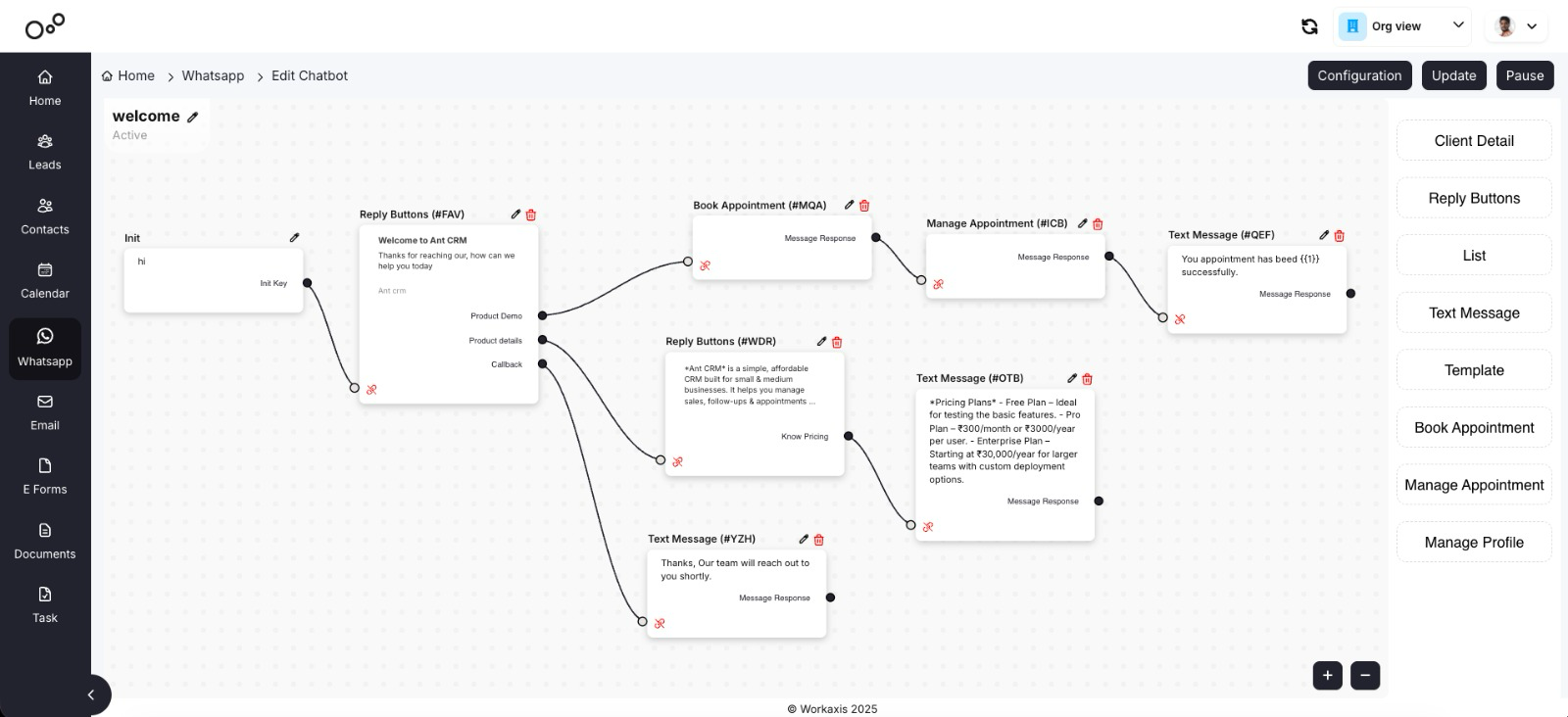
With AntCRM, a typical workflow might look like this:
- A customer messages your business on WhatsApp.
- A new lead is created automatically.
- The system replies instantly with a personalized greeting or confirmation.
- The lead is assigned to the right teammate.
- Follow-up messages and reminders are sent automatically.
Best for: Businesses that use WhatsApp for sales, support, and customer management
Website: antcrm.co
6. Best Practices for WhatsApp Automation
To get the most from automation, keep these principles in mind:
- Personalize messages Handle enquiries, bookings, payments, and lead tracking without switching between apps.
- Keep it human: Built on the official WhatsApp Business API for reliability and message delivery.
- Use quick replies Multiple agents can manage chats, assign tasks, and track progress in real time.
- Balance automation and human touch: Convert every WhatsApp message into a lead, move it through your sales pipeline, and close deals faster.
- Review performance regularly: Send follow-ups, reminders, and notifications automatically, even after hours.
7. Final Thoughts
Automating WhatsApp responses saves time, reduces manual effort, and ensures your customers always get a quick, reliable reply.
Start small with simple auto-replies, and as your business grows, move toward integrated automation with a WhatsApp CRM like AntCRM.
With AntCRM, you can manage enquiries, bookings, payments, and follow-ups all in one platform — at one of the lowest prices in the market.
Start your free trial at antcrm.co and experience how WhatsApp automation can transform your customer communication.

